Followers

Sunday, June 17, 2018

What should be added in New blog websites

Things to be added in New blogs


1. Add custom Page Not Found :
 Hey there, this is one of the features of Blogger. It redirects to your websites if someone writes the wrong URL( If needed ). To add goto setting-search preferences-Custom page not found
Add this given code by turning to own the option:-

<style type="text/css"> #error-404 { border: 20px solid #1563ea; border-radius: 240px 240px 240px 240px; height: 240px; margin: 0 auto 40px; text-align: center; transition: all 0.8s ease 0s; width: 240px; } #error-404:hover { border-color: #333; } #error-404 span { color: #FA4C29; font-size: 100px; font-weight: bold; line-height: 240px; } .large-heading { font-size: 48px; line-height: 1.2em; } .light-heading { font-weight: 400; } .status-msg-bg { background-color: transparent; } .sidebar-wrapper, .page-header { display: none; } .main-wrapper { margin-right: 0; } .outer-wrapper { min-height: 0; } .status-msg-border { border: 0 none; } </style> <div id="error-404"> <span>404</span>
</div> <h2 class="large-heading" style="text-align: center;">Page not found.</h2>
<h3 class="light-heading" style="text-align: center;">Sorry, the page you were looking for on this blog does not exist.<br>You will be redirected shortly to the homepage.</h3>


2.Add custom robot txt.
To add goto setting-search preferences-custom robot txt.
This option helps your websites to rank in google and also helps to index your pages properly. Add this given code:
User-agent: Mediapartners-Google
Disallow: 

User-agent: *
Disallow: /search
Allow: /

Sitemap: https://yadavtechnicalnews.blogspot.com/sitemap.xml

3.Add custom robots header tags:
To add go to setting-search preferences-custom robots header tags
This features also help in crawling and indexing your web pages. Add by looking in this photo.

4.Custom Ads Txt.
To add goto  setting-search preferences- custom ads txt: Add this following codes
google.com, pub-5584610592334205, DIRECT, f08c47fec0942fa0
Change red code with your Adsense publisher code from earning tab.

5.Add contact us page:
To add goto pages and add the pages. Use the following code to view  well-looking contact use page. Html Code given below:
<div dir="ltr" style="text-align: left;" trbidi="on">
<div class="widget ContactForm" id="custom_ContactForm1">
<div class="contact-form-widget">
Get in touch with us by filling out the form below.<br />
<br />
<div class="form">
<form name="contact-form">
Name
<br />
<input class="contact-form-name" id="ContactForm1_contact-form-name" name="name" size="30" type="text" value="" /><br />
&nbsp;Email&nbsp;<span style="font-weight: bolder;">*</span><br />
<input class="contact-form-email" id="ContactForm1_contact-form-email" name="email" size="30" type="text" value="" /><br />
&nbsp;Message&nbsp;<span style="font-weight: bolder;">*</span><br />
<textarea class="contact-form-email-message" cols="25" id="ContactForm1_contact-form-email-message" name="email-message" rows="5"></textarea>

<input class="contact-form-button contact-form-button-submit" id="ContactForm1_contact-form-submit" type="button" value="Submit" /></form>
</div>
</div>
</div>
<br /></div>

6.Add Privacy Policies and Disclaimer Pages-
To create you can use this website. Use freeprivacypolicies.com. Moreover, you can create from this websites or you can create your websites. This page helps you to approve your Adsense very fast. This is one of the reasons to disapproved of Google Ad-sense
Privacy Policies Sample                                                   Discalaimer Sample        

7. Add attractive follow us with HTML Code                                                                          Use this HTML code to add attractive HTML code of following use in Twitter, Facebook and at all. it will look like this


<style type="text/css">

.hbzsignup-form {

    background: transparent url("https://blogger.googleusercontent.com/img/b/R29vZ2xl/AVvXsEgYtvqeM6UoprBwHmgnXtja6Nb_cxzTKTUlPm3ukaGaN1wtnzrM76AvQBNg6GrtEMRpHiyIfLbFiLRCNHQdTVbPsuVg7jFYb_xkaw3k32NzFf5m6RnIZEBwiW6csSmIjdp8OKxqy50No4uy/s1600/Email-bg.jpg") no-repeat scroll center center / 250px 150px;

    height: 150px;

    width: 250px;

    margin: 10px auto 60px auto;

}

.hbzform-inner p {
    text-align: center;
    color: #fff;
    padding: 10px;
    font: bold 18px "trebuchet MS","Tahoma";
}

.hbzemailform {
    margin: 120px auto 5px;
    width: 215px;
}

#hbzemailbox {
    background: #FEFEFE none repeat scroll 0% 0%;
    border: medium none;
    font: 12px/12px "HelveticaNeue",Helvetica,Arial,sans-serif;
    margin-right: 5px;
    box-shadow: 0px 0px 4px rgb(207, 207, 207) inset, 1px 1px 1px rgb(186, 186, 186);
    padding: 7px;
    box-sizing: content-box;
    height: 12px;
    vertical-align: top;
    display: inline-block;
}
#hbzemailbutton {
    background: transparent linear-gradient(to bottom, rgb(202, 48, 40) 0%, rgb(235, 88, 78) 100%) repeat scroll 0% 0%;
    box-shadow: 0px 0px 2px rgb(182, 37, 32) inset;
    border: medium none;
    color: #FFF;
    cursor: pointer;
    font: 13px/13px "HelveticaNeue",Helvetica,Arial,sans-serif;
    padding: 6px;
    border-radius: 5px;
    height: 27px;
    display: inline-block;
}

#hbzemailbutton:hover {
    background: transparent linear-gradient(to bottom, #CA3028 0%, #B72420 100%) repeat scroll 0% 0%;
}

.hbzsocial-icons {
    margin: 20px 0 0;
    overflow: hidden;
    display: block;
    text-align: center;
}

.hbzsocial-icons ul {
    display: inline-block;
    margin: 0 auto !important;
    text-align: center;
    padding: 0px
}

.hbzsocial-icons ul li {
    background: transparent !important;
    border: none !important;
    float: left;
    list-style-type: none !important;
    margin: 0 4px 10px !important;
    padding: 0 !important;
}

.hbzsocial-icons ul li::before,
.hbzsocial-icons ul li::after {
    display: none !important;
}

.hbzsocial-icons ul li a, .hbzsocial-icons ul li a:hover {
    background: url("https://blogger.googleusercontent.com/img/b/R29vZ2xl/AVvXsEiiGgoouCSA5jP_823nuUy7oBDva5k_oLE6Iy4SFm9qD-A8Tp2gXKoL_NpaoLI1SLHC7V3eErGIon2VPvVzFrFBgL1v6oksVEj8U51LSowC1LrHHmK2qMHwVtzTnB0_YoSvQGEGBASFlWjh/s1600/sprite_32x32.png") no-repeat scroll 0 0;
    -moz-border-radius: 50%;
    -webkit-border-radius: 50%;
    border-radius: 50%;
    display: block;
    height: 38px;
    overflow: hidden;
    text-indent: -999px;
    transition: all 0.25s linear 0s; width: 38px;
}

.hbzsocial-icons ul li.social-facebook a {
    background-color: #3b5998;
    background-position: -60px 3px;
}

.hbzsocial-icons ul li.social-twitter a {
    background-color: #00aced;
    background-position: -253px 3px;
}

.hbzsocial-icons ul li.social-gplus a {
    background-color: #dd4b39;
    background-position: -93px 3px;
}

.hbzsocial-icons ul li.social-pinterest a {
    background-color: #cb2027;
    background-position: -157px 3px;
}

.hbzsocial-icons ul li.social-rss a {
    background-color: #F87E12;
    background-position: -189px 3px;
}
.hbzsocial-icons ul li a:hover {
    background-color: #333; 
}

.hbzsocial-like {
    display: block;
    text-align: center;
}

.hbzsocial-like tbody, .hbzsocial-like tbody tr {
    display: block;
}

.hbzfb-likes {
    display: inline-block;
    padding-bottom: 15px;
    margin-right: 5px;
}

.hbztw-follow {
    display: inline
}

</style>

<div>
 <div class='hbzsignup-form'>
  <div class='hbzform-inner'>
   <p>Sign Up for Email Updates</p>
  </div>
  <div class='hbzemailform'>
   <form action='http://feedburner.google.com/fb/a/mailverify' id='subscribe' method='post' onsubmit='window.open(&apos;http://feedburner.google.com/fb/a/mailverify?uri=[Your Blog uri]&apos;, &apos;popupwindow&apos;, &apos;scrollbars=yes,width=550,height=520&apos;);return true' target='popupwindow'>
    <input name='uri' type='hidden' value='[Your Blog uri]'/>
    <input name='loc' type='hidden' value='en_US'/>
    <input id='hbzemailbox' name='email' required='' type='text' placeholder='Enter your email...'/>
    <input id='hbzemailbutton' title='' type='submit' value='Sign up'/>
   </form>
  </div>
 </div>

 <div class="hbzsocial-icons">
  <ul>
   <li class="social-facebook"><a href="https://www.facebook.com/Pokemoninhindi-1854114938219289/" target="_blank" title="Facebook">Facebook</a></li>
   <li class="social-twitter"><a href="https://twitter.com/WorldofGamingZ1" target="_blank" title="Twitter">Twitter</a></li>
   <li class="social-gplus"><a href="https://plus.google.com/u/1/108223149580028885459" target="_blank" title="Google+">Google+</a></li>
  
  </ul>
 </div>

 <table class='hbzsocial-like'>
  <tbody>
   <tr>
    <td class='hbzfb-likes'>
     <div id="fb-root">
     </div>
     <script>(function(d, s, id) {
  var js, fjs = d.getElementsByTagName(s)[0];
  if (d.getElementById(id)) return;
  js = d.createElement(s); js.id = id;
  js.src = "//connect.facebook.net/en_US/sdk.js#xfbml=1&version=v2.4";
  fjs.parentNode.insertBefore(js, fjs);
}(document, 'script', 'facebook-jssdk'));
     </script>
     <div class="fb-like" data-href="[Fb url]" data-layout="button_count" data-action="like" data-show-faces="false" data-share="false">
     </div>
    </td>
    <td class='hbztw-follow'>
     <a href="https://twitter.com/WorldofGamingZ1" class="twitter-follow-button" data-show-count="true" data-show-screen-name="false" data-dnt="true">Follow @subeshyadav91</a>
     <script>!function(d,s,id){var js,fjs=d.getElementsByTagName(s)[0],p=/^http:/.test(d.location)?'http':'https';if(!d.getElementById(id)){js=d.createElement(s);js.id=id;js.src=p+'://platform.twitter.com/widgets.js';fjs.parentNode.insertBefore(js,fjs);}}(document, 'script', 'twitter-wjs');
     </script>
    </td>
   </tr>
  <tbody>
 </tbody></tbody></table>
</div>

Note-  In case of any help Contact me on contact us page.
Saturday, May 26, 2018

Some Video based Template for blogger


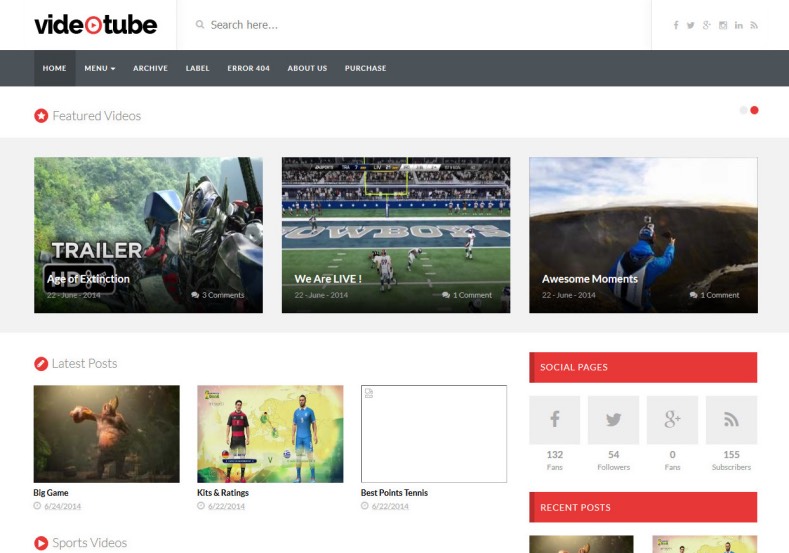
.Video Tube ( free version)
It is one of the best templates for a blogger for videos. Here you can get amazing stylist theme for your blogs.
VideoTube Responsive Blogger Template. Free Blogger templates. Blog templates. Template blogger, professional blogger templates free. blogspot themes, blog templates. Template blogger. blogspot templates 2013. template blogger 2013, templates para blogger, soccer blogger, blog templates blogger, blogger news templates. templates para blogspot. Templates free blogger blog templates. Download 1 column, 2 column. 2 columns, 3 column, 3 columns blog templates. Free Blogger templates, template blogger. 4 column templates Blog templates. Free Blogger templates free. Template blogger, blog templates. Download Ads ready, adapted from WordPress template blogger. blog templates Abstract, dark colors. Blog templates magazine, Elegant, grunge, fresh, web2.0 template blogger. Minimalist, rounded corners blog templates. Download templates Gallery, vintage, textured, vector, Simple floral. Free premium, clean, 3d templates. Anime, animals download. Free Art book, cars, cartoons, city, computers. Free Download Culture desktop family fantasy fashion templates download blog templates. Food and drink, games, gadgets, geometric blog templates. Girls, home internet health love music movies kids blog templates. Blogger download blog templates Interior, nature, neutral. Free News online store online shopping online shopping store. Free Blogger templates free template blogger, blog templates. Free download People personal, personal pages template blogger. Software space science video unique business templates download template blogger. Education entertainment photography sport travel cars and motorsports. St valentine Christmas Halloween template blogger. Download Slideshow slider, tabs tapped widget ready template blogger. Email subscription widget ready social bookmark ready post thumbnails under construction custom navbar template blogger. Free download Seo ready. Free download Footer columns, 3 columns footer, 4columns footer. Download Login ready, login support template blogger. Drop down menu vertical drop down menu page navigation menu breadcrumb navigation menu. Free download Fixed width fluid width responsive html5 template blogger. Free download Blogger Black blue brown green gray, Orange pink red violet white yellow silver. Sidebar one sidebar 1 sidebar 2 sidebar 3 sidebar 1 right sidebar 1 left sidebar. Left sidebar, left and right sidebar no sidebar template blogger. Blogger seo Tips and Trick. Blogger Guide. Blogging tips and Tricks for bloggers. Seo for Blogger. Google blogger. Blog, blogspot. Google blogger. Blogspot trick and tips for blogger. Design blogger blogspot blog. responsive blogger templates free. free blogger templates. Blog templates. VideoTube Responsive Blogger Template. VideoTube Responsive Blogger Template. VideoTube Responsive Blogger Template.
Live Preview                                          Download

Here is a feature-
1. Responsive template.
2.Adsense based template
3. Text font option
4. 100 % free
5. Responsive sidebar and footer.
6. Stylist navigation bar.
7. Attractive looks

2. Video Tube( Premium Version)
 With the premium version, it has premium features too !.  It is one of the popular version templates for videos. Here are many features-
Here are the features-
Styles: • Portfolio • Simple• Clean • Modern • Wordpress Themes Looks• Elegant  • Gallery • 3D Style • Stylish Magazine • Minimalist 
Topics: Movie  • PhotographyPages • Music • • Culture • Personal  Video • Business • Fashion • Games• Anime • News
Columns: 1 Colum • 2 Columns • 3 Columns • 4 Columns

Note-If you want to create simple blogger websites with page and navigation bar then you can consult with me, I will do it freely.
For decorative blog
Price- 5 $ and 1 $ extra for domain
For customization
If you want to customize your websites nicely then Fee is 1 $

Videos cloud ( Latest And Best)
The template 'Video  Cloud' has launched in 23rd may. Is the latest and best videos template. Its price is 49 $ and it has become most selling template Now. Here we can get thousands of features.
VideoCloud
 Free Version Demo                                               Premium Version Demo

Download

How to buy?
1. Go to the link
2. Click On Buy template and it will redirect to login.
3. Just create the account and but it.
4. Or if you are confused to choose then you can buy all template in just 69 $.
5. You can download free version also
You can check free vs premium features also.

Features
1. Mobile Friendly.
2. Theme Customizer.
3.Localisation / Translation ready
4.Clean  Code
5. Speed optimized
6.SEO


Note-If you want to create simple blogger websites with page and navigation bar then you can consult with me, I will do it freely.
For decorative blog
Price- 5 $ and 1 $ extra for domain
For customization
If you want to customize your websites nicely then Fee is 1 $

4. Fast Blogs


Fast Blog Blogger Template is a smooth and sophisticated blogger template perfect to create professional blog with ease. It is fully responsive, widget ready and has many powerful features. The Fast blog template is exceptional for a news, newspaper, magazine or publishing site. It uses the best clean SEO practices, and on top of that, it’s fast, simple, and easy to use. In addition, Fast blog supports responsive Google Ads and AdSense.Overloaded with useful widgets it has attractive social sharing options, carefully contrived elements create a perfect and conflicting blog for you, making it the perfect choice from a simple blog to a big, content heavy news portal. The fast blog is overloaded with structures and has prevailing customization options. The fast blog is overloaded with lots of specialized and beneficial widgets like Featured Post, Popular Post, Multilevel Dropdown Menu/Mega menu, Email Subscription and many more

Download video cloud template premium version for free

Download video cloud template premium version for free

Videos cloud ( Latest And Best)

The template 'Video  Cloud' has launched in 23rd may. Is the latest and best videos template. Its price is 49 $ and it has become most selling template Now. Here we can get thousands of features. This template has overloaded features for users improvement. This is trending template and verified as the best video template of this years. You can get free service and can ask them to customize in your own way.
VideoCloud
 Free Version Demo                                               Premium Version Demo

Download

How to buy?
1. Go to the link
2. Click On Buy template and it will redirect to login.
3. Just create the account and but it.
4. Or if you are confused to choose then you can buy all template in just 69 $.
5. You can download free version also

You can check free vs premium features also.

Features
1. Mobile Friendly
2. Theme Customizer.
3.Localisation / Translation ready
4.Clean  Code
5. Speed optimized
6.SEO

Mobile Friendly
This is one of the best features of this template. It is mobile friendly and easy navigation system to understand by the viewers. You can customize this as well and can get the best theme for it.

Clear Code
This template has the clear code, Any websites builder can notify and can change the navigation and other things easily.

Speed Optimized
 This template is very speed. It will smoothly with high speed. This template has more and more features.

Template created by me
Name- SUBTECH
 Download Link
Preview
This template is designed by me. This template is responsive and customized nicely. This template is especially for news and designer. It has best features. Users can get benefited by this template. It is also users friendly and had good speed. This template provides clear code, you can customize it too !.
Here are the features:

Features
1. Mobile Friendly.
2. Theme Customizer.
3.Localisation / Translation ready
4.Clean  Code
5. Speed optimized
6.SEO
7. Easily Adsense approval.
Animated Blogs:
Hey guys, This template has animated views, users get surprised by looking at this theme. It is created with HTML, CSS, AND JS with animated features. You can preview this theme. If you need any help and want to customize in your own way then contact me. It's loading features is too good.

Friday, April 27, 2018

How to customize blogger with HTML code

Here are some HTML, Use to make a blog attractive

1. If you want to add a top button scroller then just use this code.
Here are some code is given add in the same place. Misuse may not work. It will help to make your blogger attractive.

<head>
<meta name="viewport" content="width=device-width, initial-scale=1">
<style>
body {
  font-family: Arial, Helvetica, sans-serif;
  font-size: 20px;
}

#myBtn {
  display: none;
  position: fixed;
  bottom: 20px;
  right: 30px;
  z-index: 99;
  font-size: 18px;
  border: none;
  outline: none;
  background-color: red;
  color: white;
  cursor: pointer;
  padding: 15px;
  border-radius: 4px;
}

#myBtn:hover {
  background-color: #555;
}
</style>
</head>
<body>

<button onclick="topFunction()" id="myBtn" title="Go to top">Top</button>

<div style="background-color:black;color:white;padding:30px">Scroll Down</div>
<div style="background-color:lightgrey;padding:30px 30px 2500px">This example demonstrates how to create a "scroll to top" button that becomes visible when the user starts to scroll the page.</div>

<script>
// When the user scrolls down 20px from the top of the document, show the button
window.onscroll = function() {scrollFunction()};

function scrollFunction() {
    if (document.body.scrollTop > 20 || document.documentElement.scrollTop > 20) {
        document.getElementById("myBtn").style.display = "block";
    } else {
        document.getElementById("myBtn").style.display = "none";
    }
}

// When the user clicks on the button, scroll to the top of the document
function topFunction() {
    document.body.scrollTop = 0;
    document.documentElement.scrollTop = 0;
}
</script>

</body>
3. Seo Pack By Subesh Yadav
<!-- All in One SEO Pack for blogger by Subesh Yadav -->
<meta charset='utf-8'/>
<meta content='width=device-width, initial-scale=1, maximum-scale=1' name='viewport'/>
<meta content='blogger' name='generator'/>
<meta content='text/html; charset=UTF-8' http-equiv='Content-Type'/>
<link href='http://www.blogger.com/openid-server.g' rel='openid.server'/>
<link expr:href='data:blog.homepageUrl' rel='openid.delegate'/>
<link expr:href='data:blog.url' rel='canonical'/>
<b:if cond='data:blog.pageType == &quot;index&quot;'>
<title><data:blog.pageTitle/></title>
<b:else/>
<b:if cond='data:blog.pageType != &quot;error_page&quot;'>
<title><data:blog.pageName/></title>
</b:if></b:if>
<b:if cond='data:blog.pageType == &quot;error_page&quot;'>
<title>Page Not Found - <data:blog.title/></title>
</b:if>
<b:if cond='data:blog.pageType == &quot;archive&quot;'>
<meta content='noindex' name='robots'/>
</b:if>
<b:if cond='data:blog.searchLabel'>
<meta content='noindex,nofollow' name='robots'/>
</b:if>
<b:if cond='data:blog.isMobile'>
<meta content='noindex,nofollow' name='robots'/>
</b:if>
<b:if cond='data:blog.pageType != &quot;error_page&quot;'>
<meta expr:content='data:blog.metaDescription' name='description'/>
<b:if cond='data:blog.homepageUrl != data:blog.url'>
<meta expr:content='data:blog.pageName + &quot;, &quot; + data:blog.pageTitle + &quot;, &quot; + data:blog.title' name='keywords'/>
</b:if></b:if>
<b:if cond='data:blog.url == data:blog.homepageUrl'>
<meta content='Subesh yadav websites, yadav technical news, Technical news, navodaya shishu sadan, yadav tech, subesh yadav tips and tricks technical news latest tips' name='keywords'/></b:if>
<link expr:href='data:blog.homepageUrl + &quot;feeds/posts/default&quot;' expr:title='data:blog.title + &quot; - Atom&quot;' rel='alternate' type='application/atom+xml'/>
<link expr:href='data:blog.homepageUrl + &quot;feeds/posts/default?alt=rss&quot;' expr:title='data:blog.title + &quot; - RSS&quot;' rel='alternate' type='application/rss+xml'/>
<link expr:href='&quot;http://www.blogger.com/feeds/&quot; + data:blog.blogId + &quot;/posts/default&quot;' expr:title='data:blog.title + &quot; - Atom&quot;' rel='alternate' type='application/atom+xml'/>
<b:if cond='data:blog.pageType == &quot;item&quot;'>
<b:if cond='data:blog.postImageThumbnailUrl'>
<link expr:href='data:blog.postImageThumbnailUrl' rel='image_src'/>
</b:if></b:if>
<b:if cond='data:blog.url == data:blog.homepageUrl'>
<b:if cond='data:blog.pageType == &quot;item&quot;'>
<b:if cond='data:blog.pageType == &quot;static_page&quot;'>
<b:if cond='data:blog.url'>
<meta expr:content='data:blog.url' property='og:url'/>
</b:if>
<meta expr:content='data:blog.title' property='og:site_name'/>
<b:if cond='data:blog.pageName'>
<meta expr:content='data:blog.pageName' property='og:title'/>
</b:if>
<meta content='website' property='og:type'/></b:if></b:if></b:if>
<b:if cond='data:blog.postImageThumbnailUrl'>
<meta expr:content='data:blog.postImageThumbnailUrl' property='og:image'/>
<b:else/></b:if>
<link href='/favicon.ico' rel='icon' type='image/x-icon'/>
<link href='https://plus.google.com/GOOGLE+ID/posts' rel='publisher'/>
<link href='https://plus.google.com/GOOGLE+ID/about' rel='author'/>
<link href='https://plus.google.com/GOOGLE+ID' rel='me'/>
<meta content='GOOGLE-WEBMASTER-CODE' name='google-site-verification'/>
<meta content='BING-WEBMASTER-CODE' name='msvalidate.01'/>
<meta content='ALEXA-VERIFY-CODE' name='alexaVerifyID'/>
<meta content='Sylhet, Bangladesh' name='geo.placename'/>
<meta content='YOUR-NAME' name='Author'/>
<meta content='general' name='rating'/>
<meta content='Bangladesh' name='geo.country'/>
<meta content='en_US' property='og:locale'/>
<meta content='en_GB' property='og:locale:alternate'/>
<meta content='english' name='language'/>
<meta content='https://www.facebook.com/username' property='article:author'/>
<meta content='https://www.facebook.com/page_username' property='article:publisher'/>
<meta content='FACEBOOK-APP-ID' property='fb:app_id'/>
<meta content='FACEBOOK-ADMIN-ID' property='fb:admins'/>
<meta content='@msubelbd' name='twitter:site'/>
<meta content='@msubelbd' name='twitter:creator'/>

<!-- End of All in One SEO Pack for blogger by Subesh Yadav -->


2. If you want to add sign in Button then follow my instructions:-

1. Just create the forum which contains a name, email, phone no and other things that you want. You can create this online and add in page HTML.
2. Just download the sign-up bottom image from google.
3. Go to layout and add to top header. Use image and just add that button and give the link and it will work as sign up the bottom of websites.

3.  HTML code to make contact us page.
<div dir="ltr" style="text-align: left;" trbidi="on">
<div class="widget ContactForm" id="custom_ContactForm1">
<div class="contact-form-widget">
Get in touch with us by filling out the form below.<br />
<div class="form">
<form name="contact-form">
Name
<br />
<input class="contact-form-name" id="ContactForm1_contact-form-name" name="name" size="30" type="text" value="" />

Email
<span style="font-weight: bolder;">*</span>
<br />
<input class="contact-form-email" id="ContactForm1_contact-form-email" name="email" size="30" type="text" value="" />

Message
<span style="font-weight: bolder;">*</span>
<br />
<textarea class="contact-form-email-message" cols="25" id="ContactForm1_contact-form-email-message" name="email-message" rows="5"></textarea>

<input class="contact-form-button contact-form-button-submit" id="ContactForm1_contact-form-submit" type="button" value="Submit" /></form>
</div>
</div>
</div>
<br /></div>
Add contact us page
<h3>Contact Form</h3>

<div class="container">
  <form action="/action_page.php">
    <label for="fname">First Name</label>
    <input type="text" id="fname" name="firstname" placeholder="Your name..">

    <label for="lname">Last Name</label>
    <input type="text" id="lname" name="lastname" placeholder="Your last name..">

    <label for="country">Country</label>
    <select id="country" name="country">
      <option value="australia">Australia</option>
      <option value="canada">Canada</option>
      <option value="usa">USA</option>
    </select>

    <label for="subject">Subject</label>
    <textarea id="subject" name="subject" placeholder="Write something.." style="height:200px"></textarea>

    <input type="submit" value="Submit">
  </form>

</div>

Add CSS
<style>
body {font-family: Arial, Helvetica, sans-serif;}

input[type=text], select, textarea {
    width: 100%;
    padding: 12px;
    border: 1px solid #ccc;
    border-radius: 4px;
    box-sizing: border-box;
    margin-top: 6px;
    margin-bottom: 16px;
    resize: vertical;
}

input[type=submit] {
    background-color: #4CAF50;
    color: white;
    padding: 12px 20px;
    border: none;
    border-radius: 4px;
    cursor: pointer;
}

input[type=submit]:hover {
    background-color: #45a049;
}

.container {
    border-radius: 5px;
    background-color: #f2f2f2;
    padding: 20px;
}

</style>
Note- In case of any problem regarding blogger tips, Seo, customization and other related things than just comment me.

Friday, April 20, 2018

How to add menu to sidebar in blogger With HTML Code

How to add a menu to the sidebar in blogger With HTML Code:


1. Go to the theme and click on edit template.
2. You can use these code-


Sidebar Menu Html Code
Best style-
<meta name="viewport" content="width=device-width, initial-scale=1">
<style>
body {
    font-family: "Lato", sans-serif;
}

.sidenav {
    height: 100%;
    width: 0;
    position: fixed;
    z-index: 1;
    top: 0;
    left: 0;
    background-color: #111;
    overflow-x: hidden;
    transition: 0.5s;
    padding-top: 60px;
}

.sidenav a {
    padding: 8px 8px 8px 32px;
    text-decoration: none;
    font-size: 25px;
    color: #818181;
    display: block;
    transition: 0.3s;
}

.sidenav a:hover {
    color: #f1f1f1;
}

.sidenav .closebtn {
    position: absolute;
    top: 0;
    right: 25px;
    font-size: 36px;
    margin-left: 50px;
}

@media screen and (max-height: 450px) {
  .sidenav {padding-top: 15px;}
  .sidenav a {font-size: 18px;}
}
</style>

<div id="mySidenav" class="sidenav">
  <a href="javascript:void(0)" class="closebtn" onclick="closeNav()">&times;</a>
  <a href="#">About</a>
  <a href="#">Services</a>
  <a href="#">Clients</a>
  <a href="#">Contact</a>
</div>

<h2>Animated Sidenav Example</h2>
<p>Click on the element below to open the side navigation menu.</p>
<span style="font-size:30px;cursor:pointer" onclick="openNav()">&#9776; open</span>

<script>
function openNav() {
    document.getElementById("mySidenav").style.width = "250px";
}

function closeNav() {
    document.getElementById("mySidenav").style.width = "0";
}
</script>

   
Other Style
<title>W3.CSS</title>
<meta name="viewport" content="width=device-width, initial-scale=1">
<link rel="stylesheet" href="https://www.w3schools.com/w3css/4/w3.css">
<body>

<!-- Sidebar -->
<div class="w3-sidebar w3-light-grey w3-bar-block" style="width:25%">
  <h3 class="w3-bar-item">Menu</h3>
  <a href="#" class="w3-bar-item w3-button">Link 1</a>
  <a href="#" class="w3-bar-item w3-button">Link 2</a>
  <a href="#" class="w3-bar-item w3-button">Link 3</a>
</div>

<!-- Page Content -->
<div style="margin-left:25%">

<div class="w3-container w3-teal">
  <h1>My Page</h1>
</div>

<img src="img_car.jpg" alt="Car" style="width:100%">

<div class="w3-container">
<h2>Sidebar Navigation Example</h2>
<p>The sidebar with is set with "style="width:25%".</p>
<p>The left margin of the page content is set to the same value.</p>
</div>

</div>

     
Other  Style
<title>W3.CSS</title>
<meta name="viewport" content="width=device-width, initial-scale=1">
<link rel="stylesheet" href="https://www.w3schools.com/w3css/4/w3.css">
<body>

<!-- Sidebar -->
<div class="w3-sidebar w3-bar-block w3-border-right" style="display:none" id="mySidebar">
  <button onclick="w3_close()" class="w3-bar-item w3-large">Close &times;</button>
  <a href="#" class="w3-bar-item w3-button">Link 1</a>
  <a href="#" class="w3-bar-item w3-button">Link 2</a>
  <a href="#" class="w3-bar-item w3-button">Link 3</a>
</div>

<!-- Page Content -->
<div class="w3-teal">
  <button class="w3-button w3-teal w3-xlarge" onclick="w3_open()">☰</button>
  <div class="w3-container">
    <h1>My Page</h1>
  </div>
</div>

<img src="img_car.jpg" alt="Car" style="width:100%">

<div class="w3-container">
<p>This sidebar is hidden by default, (style="display:none")</p>
<p>You must click on the "hamburger" icon (top left) to open it.</p>
<p>The sidebar will hide a part of the page content.</p>
</div>

<script>
function w3_open() {
    document.getElementById("mySidebar").style.display = "block";
}
function w3_close() {
    document.getElementById("mySidebar").style.display = "none";
}
</script>
   
Use this Code
<div class='sidetabs' id='sidetabs'>
      <ul class='menu-tab'>
        <li class='item-1'><a href='#tabside1'/></li>
        <li class='item-2'><a href='#tabside2'/></li>
<li class='item-3'><a href='#tabside3'/></li>
      </ul>
      <b:section class='sidebar ty-trigger' id='tabside1' maxwidgets='1' name='Tab 01' showaddelement='yes'>
        <b:widget id='HTML3' locked='false' title='Recent' type='HTML' version='1'>
          <b:widget-settings>
            <b:widget-setting name='content'><![CDATA[<span class="latestposts" data-no="5"></span>]]></b:widget-setting>
          </b:widget-settings>
          <b:includable id='main'>
  <!-- only display title if it's non-empty -->
  <b:if cond='data:title != &quot;&quot;'>
    <h2 class='title'><data:title/></h2>
  </b:if>
  <div class='widget-content'>
    <data:content/>
  </div>

 <!--b:include name='quickedit'/-->
</b:includable>
        </b:widget>
      </b:section>
      <b:section class='sidebar ty-trigger' id='tabside2' maxwidgets='1' name='Tab 02' showaddelement='yes'>
        <b:widget id='PopularPosts1' locked='false' title='Popular' type='PopularPosts' version='1'>
          <b:widget-settings>
            <b:widget-setting name='numItemsToShow'>5</b:widget-setting>
            <b:widget-setting name='showThumbnails'>true</b:widget-setting>
            <b:widget-setting name='showSnippets'>true</b:widget-setting>
            <b:widget-setting name='timeRange'>LAST_YEAR</b:widget-setting>
          </b:widget-settings>
          <b:includable id='main'>
                <b:if cond='data:title != &quot;&quot;'><h2><data:title/></h2></b:if>
                <div class='widget-content popular-posts'>
                  <ul>
                    <b:loop values='data:posts' var='post'>
                      <li>
                        <b:if cond='!data:showThumbnails'>
                          <b:if cond='!data:showSnippets'>
                            <!-- (1) No snippet/thumbnail -->
                            <a expr:href='data:post.href'><data:post.title/></a>
                            <b:else/>
                            <!-- (2) Show only snippets -->
                            <div class='item-title'><a expr:href='data:post.href'><data:post.title/></a></div>
                            <div class='item-snippet'><data:post.snippet/></div>
                          </b:if>
                          <b:else/>
                          <!-- (3) Show only thumbnails or (4) Snippets and thumbnails. -->
                          <div expr:class='data:showSnippets ? &quot;item-content&quot; : &quot;item-thumbnail-only&quot;'>
                            <b:if cond='data:post.thumbnail'>
                              <div class='item-thumbnail'>
                                <a expr:href='data:post.href'>
                                  <img border='0' expr:alt='data:post.title' expr:height='data:thumbnailSize' expr:src='data:post.thumbnail' expr:width='data:thumbnailSize'/>
                                </a>
                              </div>
                            </b:if>
                            <div class='item-title'><a expr:href='data:post.href'><data:post.title/></a></div>
                            <b:if cond='data:showSnippets'>
                              <div class='item-snippet'><data:post.snippet/></div>
                            </b:if>
                          </div>
                          <div style='clear: both;'/>
                        </b:if>
                      </li>
                    </b:loop>
                  </ul>
                 <!--b:include name='quickedit'/-->
                </div>
              </b:includable>
        </b:widget>
      </b:section>
  <b:section class='sidebar ty-trigger' id='tabside3' maxwidgets='1' name='Tab 03' showaddelement='yes'>
    <b:widget id='HTML5' locked='false' title='Comments' type='HTML' version='1'>
      <b:widget-settings>
        <b:widget-setting name='content'><![CDATA[<span class="latestcomments" data-no="5"></span>]]></b:widget-setting>
      </b:widget-settings>
      <b:includable id='main'>
  <!-- only display title if it's non-empty -->
  <b:if cond='data:title != &quot;&quot;'>
    <h2 class='title'><data:title/></h2>
  </b:if>
  <div class='widget-content'>
    <data:content/>
  </div>

 <!--b:include name='quickedit'/-->
</b:includable>
    </b:widget>
  </b:section>
     </div>
Note -If you have any problem then just comment me.

Friday, April 13, 2018

Download best seo ready template for blogger

Download best seo ready template for blogger

Download best SEO ready template for blogger 

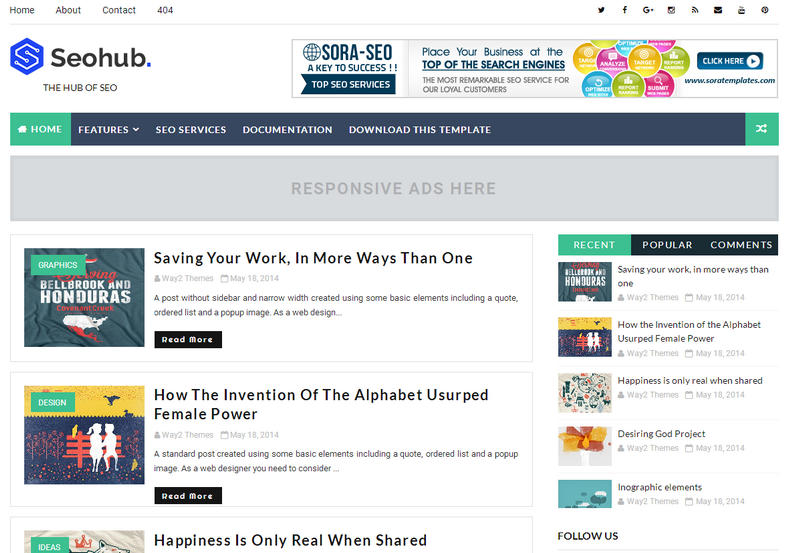
1.Seo  Hub

What is SEO ready template?
Seo ready template is destined for involuntary articles management. It manages the posts very nicely. We don't need to waste time on managing title and other things.SeoHub Fast Loading Blogger Template is the most SEO optimized blogger template in current date, the template has lots of unique features and perfectly optimized codes to perform great in various search engines. You can use this template for almost any kind of blog but it is best suitable for niche blogs, tech, news, blog, magazine, daily blogs, food blogs, authority and best for event blogs


Features: Responsive • Tabbed Widget• Seo Friendly • Ads Ready • Slideshow • Instagram Ready   • Social Bookmark Ready • Drop Down Menu • Vertical Drop Down Menu • Browser Compatibility• Email Subscription Widget • Post Thumbnails • WhatsApp Sharing

• Breadcrumbs Navigation  • Page Navigation • Footer Column • Sidebars • Fast Loading  Styles: Magazine • Minimalist • Portfolio • Simple• Clean • Modern • Elegant • Wordpress Themes Looks • Gallery • 3D Style • Stylish

Topics: Movie • Anime • Personal Pages• News • Photography• Music • Video • Culture   • Business • Fashion • Games

Columns: 1 Colum • 2 Columns • 3 Columns • 4 Columns


                              Live Preview                                                                                         Download 


If you want premium then you can also buy it.

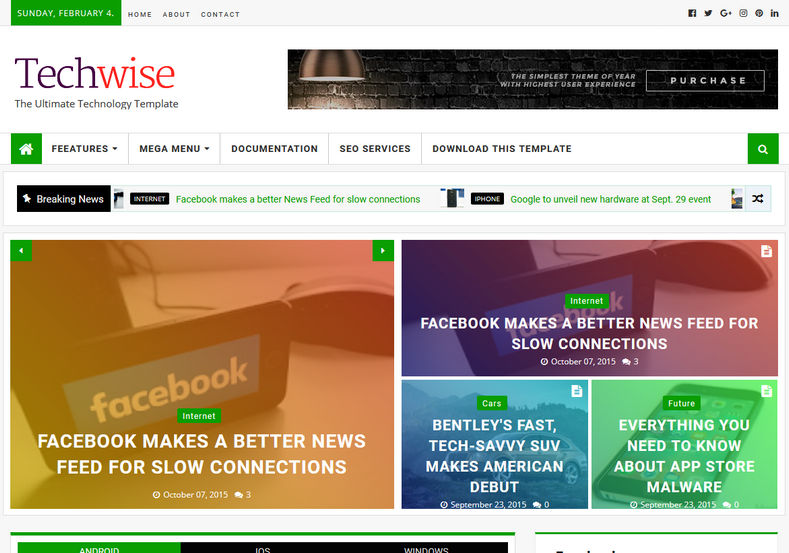
2. Tech Wise
TechWise Blogger Template is a pure tech niche Blogspot theme with highly optimized and responsive design. It can fit any screen size or device with ease and will maintain the same design from desktop to smartphone. Perfectly suitable for technology, games, travel destinations, films, blogger magazines, technology etc. It is an extremely customizable theme, which has many different types of layout, whether you want a cleanblog with a slider or a full magazine template, you can make your very own design and can make it nice. Made with latest trends and technologies it fully SEO ready theme and since it has pre-installed various types of recent post widgets it also helps in reducing bounce rate magically.


Live Preview

Download               


It is also an SEO based theme. But it is especially for technology and news-based websites.
Features-
Features: Responsive • Tabbed Widget• Seo Friendly • Ads Ready • Slideshow • Instagram Ready   • Social Bookmark Ready • Drop Down Menu • Vertical Drop Down Menu • Browser Compatibility• Email Subscription Widget • Post Thumbnails • WhatsApp Sharing

• Breadcrumbs Navigation  • Page Navigation • Footer Column • Sidebars • Fast Loading  Styles: Magazine • Minimalist • Portfolio • Simple• Clean • Modern • Elegant • Wordpress Themes Looks • Gallery • 3D Style • Stylish

Topics: Movie • Anime • Personal Pages• News • Photography• Music • Video • Culture   • Business • Fashion • Games
Columns:

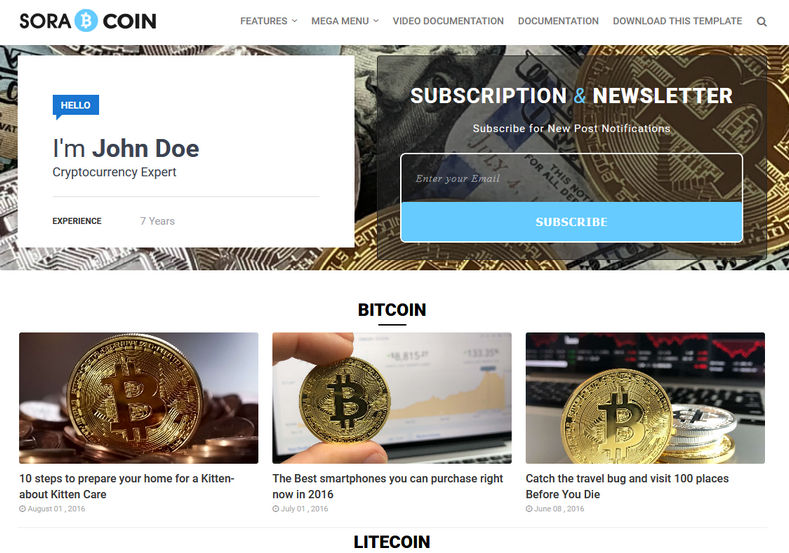
3. Sora Coin
This is one of the delightful templates for blogger websites that are SEO based that you can download Below options and if you want any customization help then just comment me. Sora Coin Blogger Template is a lovely blogger website template envisioned for bitcoin cryptocurrency blog and exchange websites. This template is designed by best company and has made best templete. Sora Coin template has a best friendly layout. It fits smoothly on numerous displays and resolves from steady desktop screens to tablets, iPads, iPhones and small mobile devices.


Sora Coin Blogger Template is a minimal blogspot theme specially for cryptocurrency and ico in mind. It is very fast loading and targetted for finance niche.
Live Preview                           Buy Premium                                          Free  Download

 Features:
Features: Responsive • Seo Friendly • Post Thumbnails • Ads Ready • Slideshow • Drop Down Menu • Vertical Drop Down Menu • Email Subscription Widget   • Footer Column • Sidebars • Fast Loading • Instagram Ready  • Breadcrumbs Navigation  Page Navigation

Styles: Minimalist, • Wordpress Themes Looks • Elegant  Magazine   • Stylish   • Gallery  • Portfolio • Simple • 3D Style  • Clean • Modern 

Topics: Movie  • Photography• Fashion • Games • Culture • Personal Pages • Anime • News• Music • Video • Business 

Columns: 1 Colum • 2 Columns • 3 Columns • 4 Columns


  • Note- If you have any complaint about this template then just search SEO based template. I know it will show this definitely.